
What you need
- An Apple TV with tvOS 26 or later.
- An NVR on the same home network with a username and password to log in (read-only is fine).
What it does
- Looks for a compatible NVR on the network, or you can enter its IP address manually.
- Plays cameras in SD or HD.
- Uses a native, high-efficiency RTSP decoder with low CPU use.
- Shows up to four cameras at once.
- Lets you hide cameras from the selector.
- Shows battery level and charging status for battery cameras.
- Kiosk mode keeps the screen on and moves the picture slowly around (1 pixel per minute), to prevent burn-in.
What's on the screen
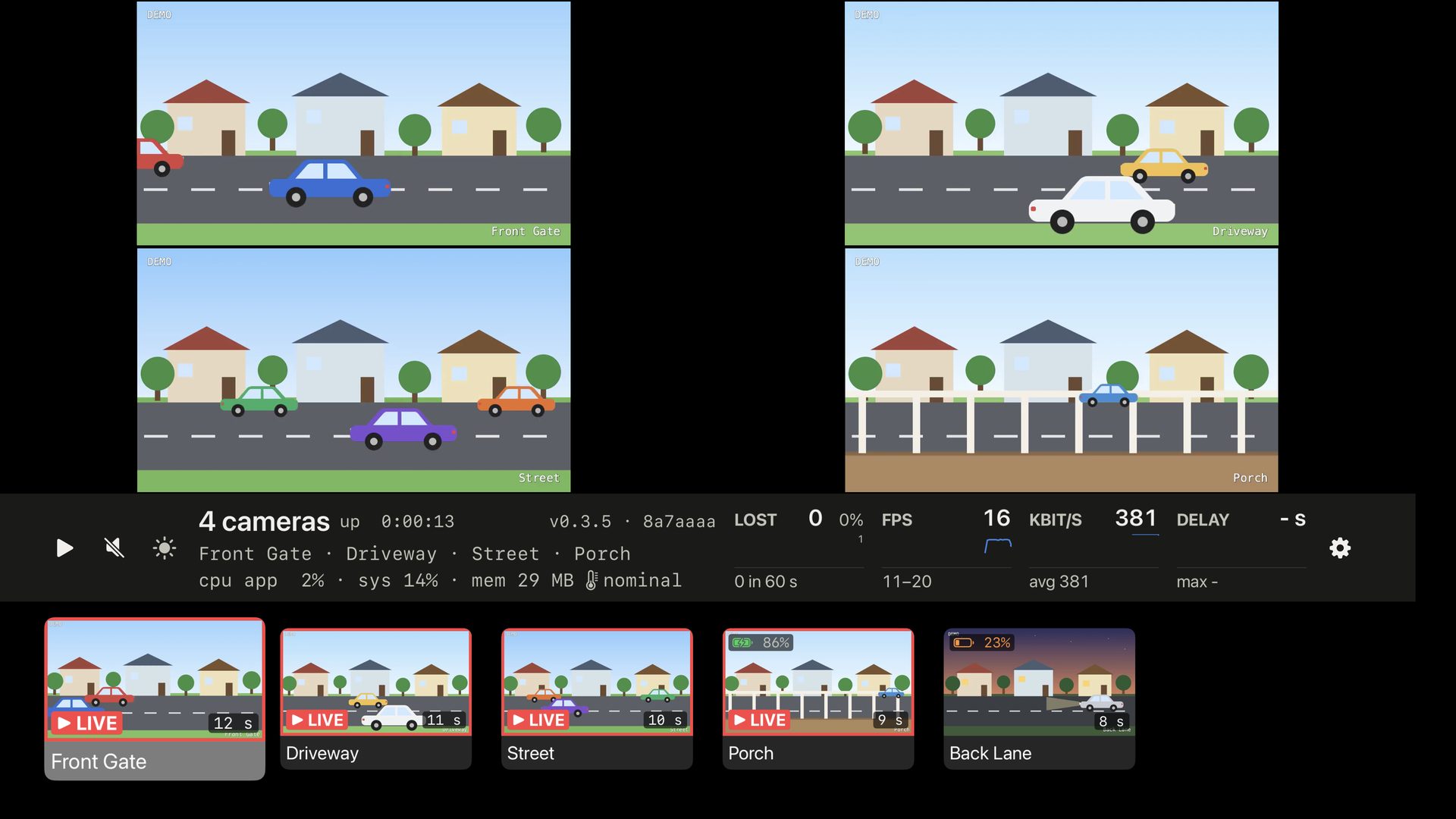
One camera playing, with the info bar and the camera tiles below it.
- Live video The camera you picked, full size
- The info bar Info and metrics about video decoding performance.
- Camera tiles A snapshot of each camera
- Playing Yellow triangle: too heavy for this Apple TV
- Sound On or off
- Camera name
- Camera Model, picture size, time connected
- Version For bug reports
- Keep screen on When enabled, prevents the Apple TV screensaver or sleep
- CPU and memory How much the app is using vs overall Apple TV CPU
- Temperature and network The Apple TV's thermal state, then wired or WiFi (not in demo mode)
- Lost frames Each second, and the share in the last 60 s
- Frame rate Frames per second
- Data rate Kilobits per second
- Delay Seconds behind live
- Settings
- Lost in 60 s
- Range in 60 s
- Average in 60 s
- Longest in 60 s
- Playing now Red frame and LIVE
- Snapshot age How old the picture is
- SD or HD An SD badge here: the SD stream. No badge: HD.
- Camera tiles Select one to watch it; long-press for more
- Charging 86% battery
- Battery level 23%
- Highlighted tile Where the remote is
What it does not do
- Nvrmore is read-only, it doesn't let you modify NVR settings.
- Only live video - no playback of recordings.